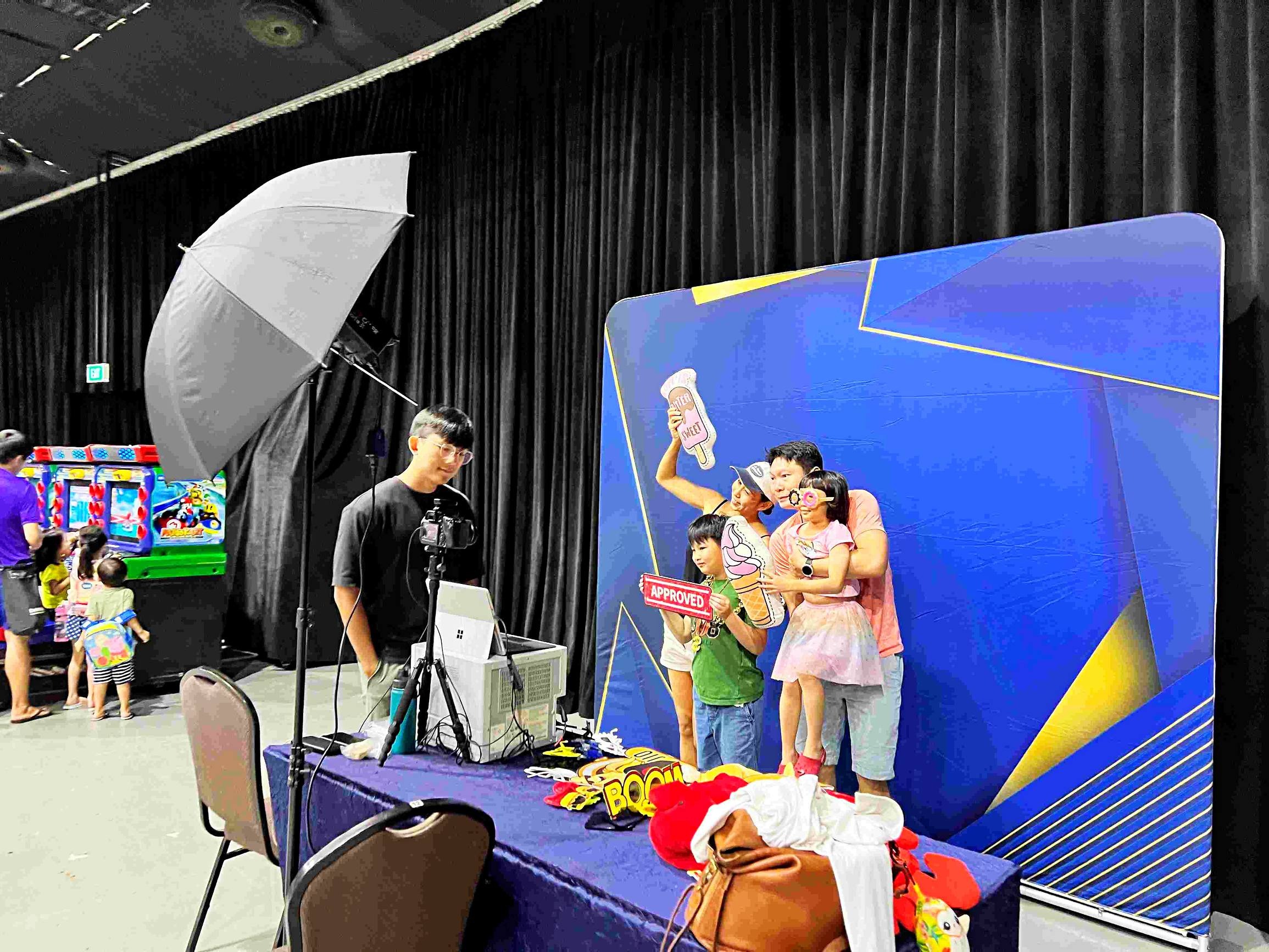
A photobooth backdrop is approved twice: once as artwork and again as a photograph with people in front of it. A logo can look prominent on a design file but disappear behind a group, while a busy pattern can compete with faces. This guide follows the artwork-review process and the test photograph that should connect the designer's layout to the finished keepsake.
photobooth backdrop: ask for a people-in-frame approval sample
Instead of approving only an empty backdrop, request a sample that represents the intended group and output format. Check the space above heads, the visibility of the event name and what happens at the edges of the print. A design that works for a close portrait may not behave the same way for a wider group.
Separate changes to the backdrop from changes to the print overlay. Moving a logo on the output artwork will not fix a physical decoration that obscures part of the scene. Label your feedback clearly so the booth team and designer know which element to adjust. The final approval should describe the result guests will receive, not just the appearance of an unused background.
Ask for one main visual idea. Combining a large slogan, repeated logos, busy illustrations and several competing colours can make the picture difficult to read. Use the event identity as the starting point, then leave enough quiet space for the people. When briefing photobooth rental in Singapore, share the expected group size and intended print format alongside the theme. These details influence what can realistically remain visible behind guests.

Test the design with people standing in it
A photobooth backdrop proof should include more than an empty rectangle. Place simple head-and-shoulder outlines over the artwork to see where two, four or six guests will stand. The central area will often be hidden, so an important event name may work better above shoulder level or in the printed photo frame. Avoid placing essential information where the tallest guest is likely to cover it.
Consider the edges too. A wider group needs more usable background, and the camera may capture a little beyond the planned standing position. Check the actual installation width with the booth team rather than estimating from an inspiration picture. If the station needs a separate printed structure, discuss event backdrop rental early enough to coordinate the artwork, support and camera position. Keep a copy of the approved layout with the event team for setup day.

Choose colour and texture for faces and outfits
The photobooth backdrop should frame guests without making their clothes disappear into it. A dark background can suit bright outfits, while a lighter or more colourful setting can separate people wearing black. You do not need to predict every outfit; simply consider whether the event has a dress code and tell the supplier. Uniforms, festive costumes and formal evening wear create different visual combinations.
Reflective surfaces deserve an extra check. Gold sequins can create a lively festive atmosphere, but their appearance depends on the angle of the lights. Ask to see a sample photograph under the proposed lighting rather than judging the material only in daylight. A small change to the light position may help preserve both faces and texture. Keep printed graphics readable at the size they will appear in the finished souvenir, especially when decorative sparkle is already doing much of the visual work.

Decide whether the background is physical or digital
A green screen is a working surface for replacing the background digitally. It is useful when the event calls for several scenes, but it changes the preparation conversation. Guests wearing a colour close to the screen may need an alternative position or approach, and the operator needs sufficient separation and suitable lighting. Confirm the intended scenes before the event instead of leaving the entire creative choice until the queue forms.
For a physical photobooth backdrop, what guests see behind them is part of the final photograph. That can make posing intuitive and give the station a recognisable place in the room. For a digital setting, request a finished sample with real people composited into the scene. Check that their scale, position and shadows feel appropriate. Neither approach is automatically better; choose the one that supports the guest experience and the level of customisation you actually need.

Check dimensional decorations from the camera position
Balloon clusters and other decorations introduce depth. They may look balanced to a person walking past but overlap a face when viewed through the booth camera. Place the fullest elements toward the outer edges, then take a test picture with a small group. Check whether any reflective balloon is producing a bright hotspot or whether a low decoration blocks a seated guest.
A balloon frame photobooth can make the photo area feel like part of the event styling. For a broader decorative installation, compare balloon backdrop wall options with the booth’s actual framing requirements. The decoration supplier and camera operator should work from the same dimensions. Keep access around the station comfortable so people can enter and leave without brushing against the display or its supports.

Approve a finished sample, not just the screen preview
Before guests arrive, make a test portrait using the planned photobooth backdrop, lights and print layout. Include people of different heights if possible. Look at faces first, then check the event name, edges, colour and overall balance. Review a physical print when printing is part of the package; the smaller format may reveal crowded text that was easy to overlook on a monitor.
If the background needs adjustment, identify the specific problem. Moving the standing mark, changing the light angle or simplifying one graphic can be more effective than redesigning everything. Confirm which changes are practical at the venue and which require new artwork in advance. Once approved, keep the camera and standing position consistent so later groups receive the same framing. This final check connects the design brief to the photographs guests actually take home.

Photobooth backdrop examples from event setups
The examples below show how garden prints, starry surfaces, pink backgrounds and green screens create different settings around a photo station. Use them to discuss mood, equipment placement and guest positioning. The prop table and surrounding venue also affect the impression, so judge the whole station rather than selecting a background in isolation. A simple setup with coordinated details often produces a clearer photograph than an elaborate display with no room for people.


Bring a clear brief to your next event
Send your event date, venue, expected attendance, typical group size, dress code and preferred photo format when making an enquiry. Include the approved logo files and explain which words must remain readable in the final picture. If you have inspiration images, describe what you like about them: the palette, texture, lighting or sense of space. Epic Media can then help plan a photobooth backdrop and photo station around those priorities, with a finished sample as the final point of reference.