A corporate photobooth often needs to photograph colleagues together, not just one guest at a time. A team may include people of different heights, guests carrying bags and someone who arrives just as the countdown begins. This guide focuses on the group photograph: how people stand, how props are shared and how the finished image keeps everyone visible.
Corporate Photobooth: test a realistic team photograph
During setup, ask for a test that resembles the groups you expect rather than a single-person demonstration. Check whether people at the edges remain in frame, whether anyone is hidden and how much of the event artwork is visible. The appropriate group size depends on the chosen booth and space, so have the operator confirm it.
Let the host explain the standing positions and countdown before the first busy period. A simple instruction such as where to look can be more useful than a large prop selection. Keep the collection discussion separate from posing so one group can understand its next step while the following group gets ready. That is a group-photo workflow, not a promise of a particular throughput.
Our photobooth rental options provide a starting point for that discussion. Shortlist the experience you want, then ask the team to explain how group photographs would work with your preferred option.

Give people a clear place to stand
Guests should be able to recognise where to gather without having to work out the equipment layout. Agree the camera-facing area with the booth team and leave a clear route into and out of it. Keep spare chairs, event bags and unrelated signage away from the picture area.
The position should work for the guests, not just for a photograph of the empty setup. Think about whether people can join a group comfortably and whether someone using a mobility aid can reach the photo position. Share relevant access needs early so the venue and supplier can discuss a suitable arrangement.
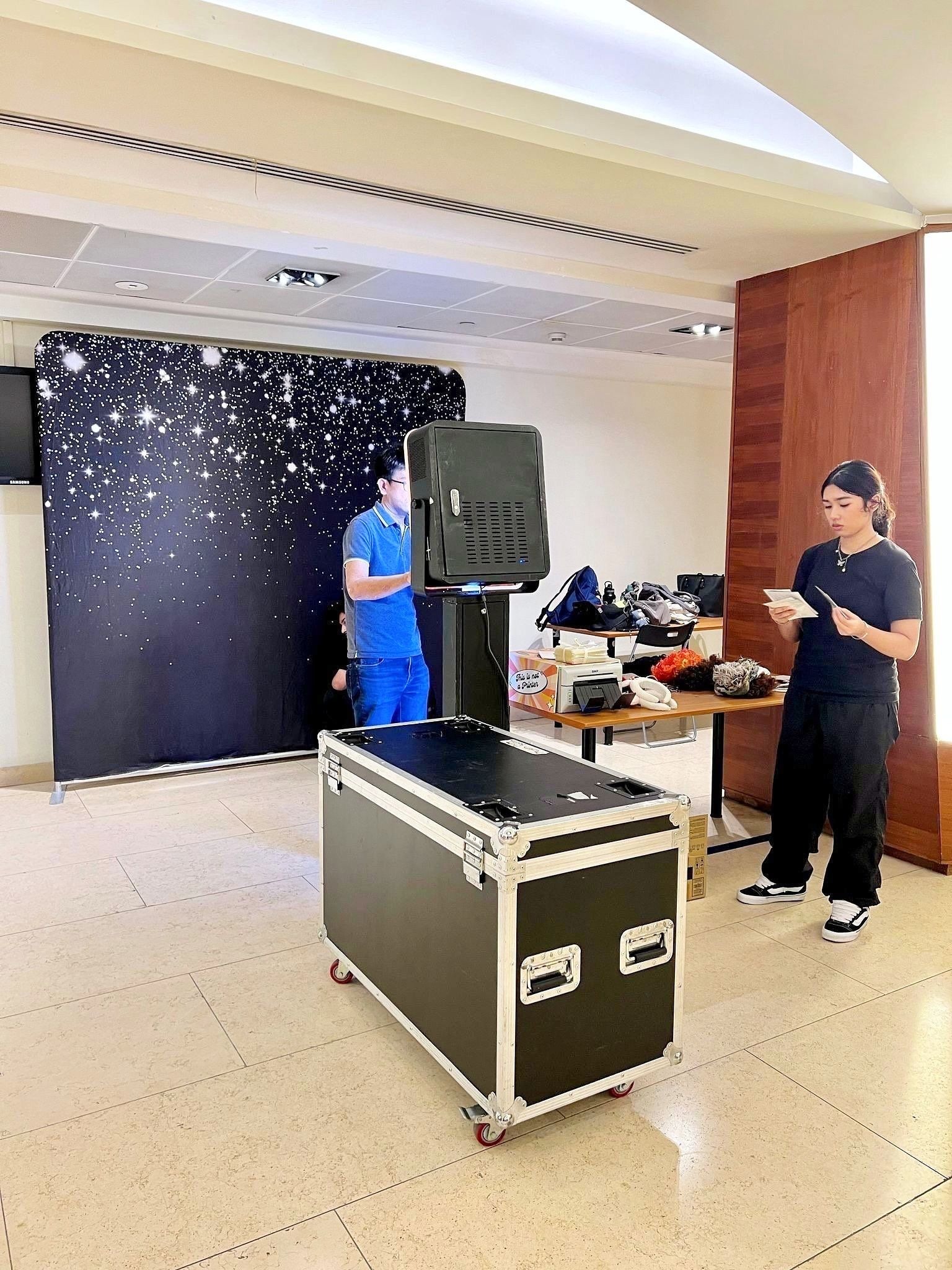
Once the equipment is in place, take a test photograph with people. Check the edges of the frame and the space above their heads. A small adjustment to where guests stand may be more useful than asking everyone to squeeze closer together at every session.

Keep props simple enough for a group to share
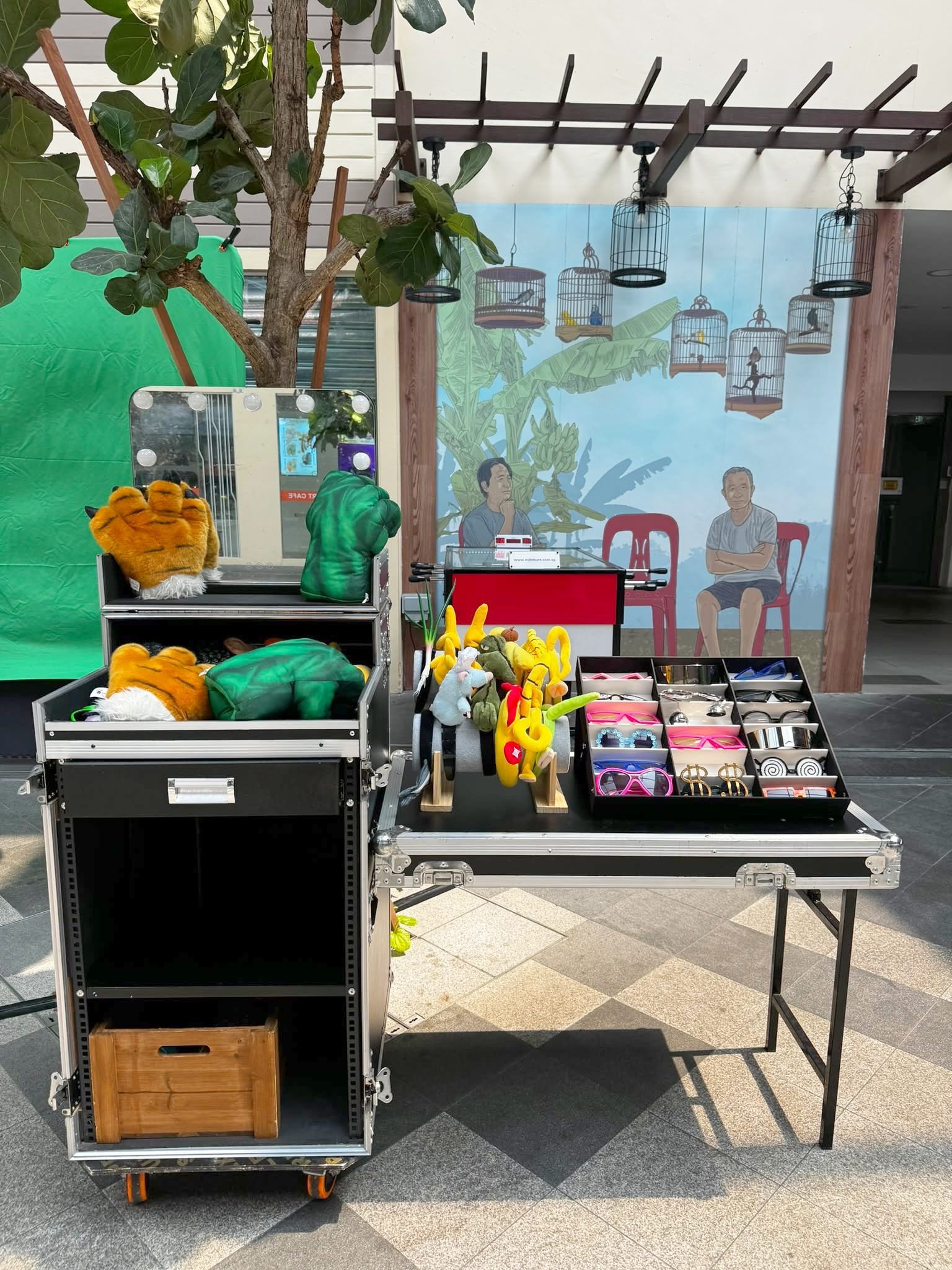
A small selection of clear, easy-to-hold props can help colleagues relax. Too many choices can slow the moment before a photograph and make the prop table harder to keep organised. Choose a selection appropriate to the event tone and explain any wording or themes you would prefer to avoid.
Place props where guests can browse before stepping into the photo area. Give used items a clear return point after the photograph so they do not accumulate near the camera or print collection area. The booth attendant can help with the flow, but the floor plan needs to allow space for it.
For team photographs, encourage a mix of props and unobstructed faces. Large signs may work well at the front of a group, while smaller items can be easier to position elsewhere. Keep the main purpose simple: the photograph should still show the people who attended.

Match the backdrop and photo artwork
Treat the backdrop and the final photo layout as related parts of the experience. If both contain several logos, long event titles and decorative graphics, the result can feel crowded. Decide which information belongs behind the guests and which belongs on the printed or digital image, where that output is included in your selected package.
Check the exact event name, date and approved logo files before sending them to the team. Ask to review the proposed artwork at a useful size rather than relying on a small thumbnail. Confirm how the layout behaves when several people appear in the photograph.
Our event backdrop service can be discussed alongside a booth booking. If you are considering a balloon-framed photo area, THAT Balloons’ backdrop wall options are a relevant reference for the decorative part of that brief. Confirm the final camera view with the booth team before settling the arrangement.
Make time for photographs across the programme
A corporate photobooth can become busiest when a speech ends, dinner pauses or a group activity finishes. Share your event schedule with the supplier so the operating window reflects when guests are likely to use it. Do not assume that spreading attendance across a long event will happen automatically.
Where the programme allows, let colleagues know the booth is available during more than one break. A brief announcement can help, but avoid bringing every department over at exactly the same moment if the surrounding area is small.
Agree how the team will handle the final part of the booking. Guests should know when the last sessions are approaching, and the organiser should understand what happens to people already waiting. Confirm any extension arrangements in advance rather than relying on extra time being available on the day.

Separate posing from collecting the result
After the photograph, guests may need to collect prints or follow a digital-sharing step, depending on the package. Ask how that part of the process works and allow a suitable space for it. A group waiting for its output should not accidentally block the next group from entering the photo area.
Confirm the print format, any applicable print limits and digital delivery details with the supplier. Do not assume that every booth option has identical outputs. If people need to enter information or use a QR code, ask the team to explain the steps and make them clear to guests.
For the organiser’s records, agree whether any event gallery or image handover is included, who receives it and when. Keep the request appropriate to the booking. A booth photograph collection and separate event photography coverage serve different purposes and should be discussed clearly.

Photo booth setup examples
These event setups illustrate different camera, backdrop and prop arrangements. Confirm the layout and equipment for your chosen booking.


Frequently asked questions
How many people can fit in a corporate photobooth photograph?
It depends on the chosen setup, camera framing and available space. Share your likely group size and ask the supplier to confirm an appropriate arrangement. Avoid relying on the physical width of the backdrop as the only guide.
Do we need props for every photograph?
No. Some teams prefer a straightforward group portrait, while others enjoy using props. Offer a clear choice and keep the photo position usable for either approach.
Can the booth match our corporate theme?
Discuss the backdrop, photo artwork and available booth options with the team. Supply approved logo files and colour references, then confirm the specific customisation included in the quotation.
What should the organiser confirm before event day?
Confirm the operating hours, access window, location, power and space requirements, expected groups, outputs and approved artwork. Identify the event contact who will meet the team and answer setup questions.
Plan a group-friendly photo experience
A corporate photobooth works best when colleagues understand where to go, how to join in and how to collect their photograph. Send Epic Media your event date, venue, expected attendance and preferred setup through our photobooth enquiry page to discuss an arrangement for your event.